近日给朋友们开放使用VPN频繁被墙,一是我配置可能有些问题,二是使用的人有些多难免被发现,授人以鱼不如授人以渔,特写下这篇文章,希望帮助到有需要的各位。
此文描述几种科学上网服务的搭建方式,并分享常用问题的一些解决办法,诸君可以按需实践。
Shadowsocks 篇
首先,我们需要要有一台可以科学上网的服务器,这里我是在 Vultr 上买的 5美元/月的,线路自己选,东京的比较快。
-
拥有一台科学上网服务器
首先我们提供科学上网服务的服务器本身应该要可以科学上网的,这里我选择了在 Vultr 上购买一台服务器(可以支付宝支付), 5$/月,线路一般东京的比较快些。
系统的话我选择了 Ubuntu 16.04 。 -
远程服务器
从 Vultr 上查看自己购买服务器的账户和密码,Servers 下面选择 Instances 页,点击具体的服务器实例,应该可以看到如下的信息:
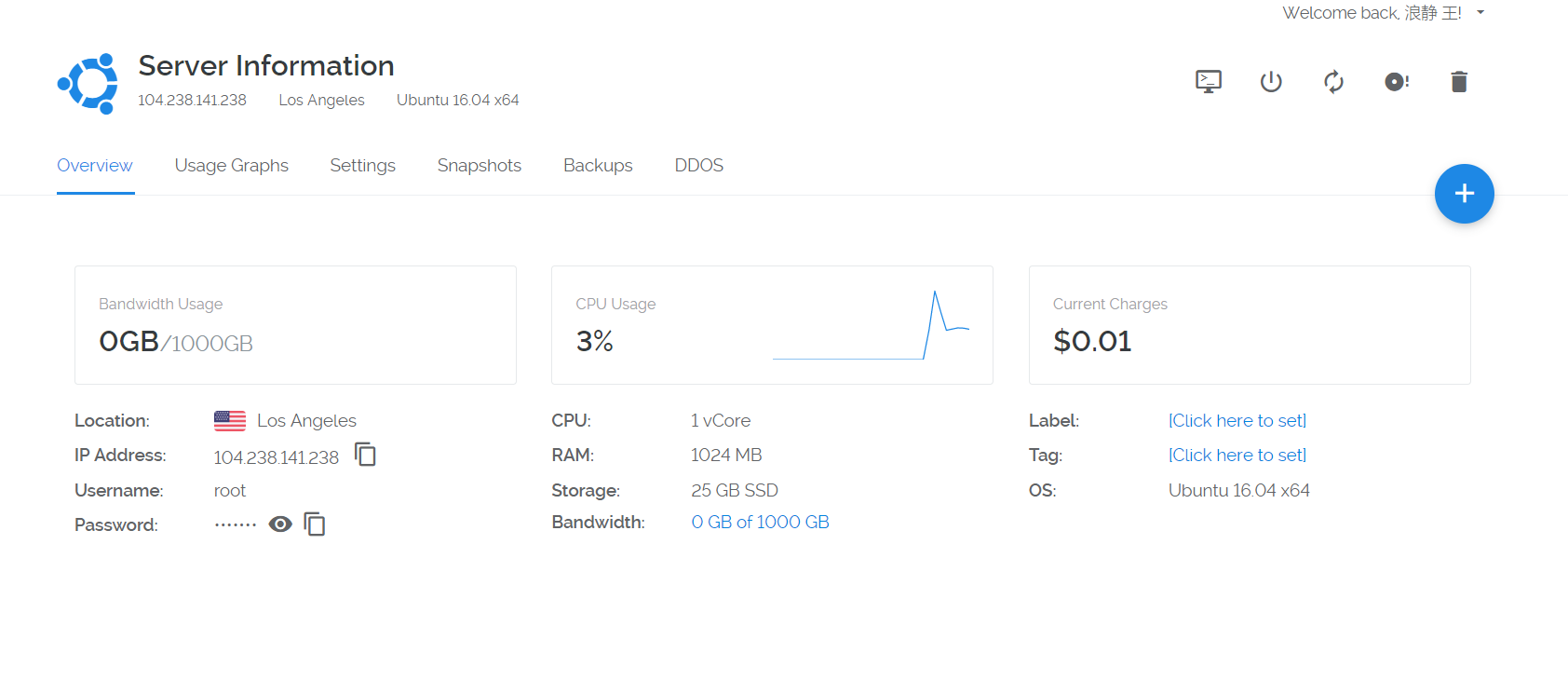
通过 XShell (个人使用是免费的) 远程服务器,当然你也可以通过其他方法。
-
安装并配置 Shadowsocks :
apt update
apt install shadowsocks
安装完毕后配置 Shadowsocks,新建一个配置文件,名称随意
vim /etc/shadowsocks.json内容如以下格式(多端口配置,密码、端口):
 {
  "server":"0.0.0.0",
  "port_password": {
  "8381": "932444208",
  "8382": "932444208"
  },
  "timeout": 300,
  "method": "aes-256-cfb",
  "password":"932444208"
 }
保存后,启动 SS 服务器,命令如下:
ssserver -c /etc/shadowsocks.json startOK,到这里科学上网服务器就搭建好了~~
-
使用科学上网客户端:
可以通过此页面了解并下载 Shadowsocks 与个平台相关的客户端。
-
科学上网服务优化:
- XShell 会话退出后,SSServer 进程退出,客户端无法科学上网,解决办法如下:
nohup ssserver -q -c /etc/shadowsocks.json &此指令格式: nohup 你的指令 &
- 使用锐速加速科学上网服务器(一键脚本,网上搜集的,有一定效果)
wget xiaofd.github.io/ruisu.sh && bash ruisu.sh -
开启BBR
linxu 内核低于 4.9 需要更新内核查看内核版本
uname -r安装 Hardware Enablement Stack (HWE),更新内核
apt install --install-recommends linux-generic-hwe-16.04删除旧内核(可选的,慎用)
apt autoremove重启
查看是否已启用 BBR
lsmod | grep bbr若无,则修改 sysctl.conf
echo "net.core.default_qdisc=fq" >> /etc/sysctl.conf echo "net.ipv4.tcp_congestion_control=bbr" >> /etc/sysctl.conf sysctl -p -
科学上网服务开机启动
将服务启动命令添加至 /etc/rc.local 文件
nohup ssserver -q -c /etc/shadowsocks.json &
V2ray 篇
首先安装 v2ray,你也可以参考 此处
`bash` `<(curl -L -s https:``//install``.direct``/go``.sh)`编辑配置文件,你可以参考 此处
vi /etc/v2ray/config.json例如:
{
  "inbounds": [{
    "port": 8090,
    "protocol": "vmess",
    "settings": {
      "clients": [
        {
          "id": "此这儿配置个唯一标识",
          "level": 1,
          "alterId": 64
        }
      ]
    }
  },
  {
     "port": 20033,
     "listen": "0.0.0.0",
     "protocol": "socks",
      "setting":{
         "udp": false,
         "auth":"noauth",
      }
 }
  ],
  "outbounds": [{
    "protocol": "freedom",
    "settings": {}
  },{
    "protocol": "blackhole",
    "settings": {},
  "tag": "blocked"
  }],
  "routing": {
    "rules": [
      {
        "type": "field",
        "ip": ["geoip:private"],
        "outboundTag": "blocked"
      }
    ]
  }
}
以上配置开放两个不同协议的入站端口,其中 SOCKS 端口方便,是为了配合我经常使用的 Chrome 插件 SwitchyOmega。
启动 v2ray 服务
service v2ray start在其他系统中使用此科学上网服务:
1.如果你使用 Chrome 可以通过 SwitchyOmega 可以在此处 参照,然后通过设置入站配置来使用科学上网服务。
2.使用各类 v2ray 客户端
Windows:V2rayW MacOSX:V2rayX Android:V2rayNG
常见问题
阿里云主机卸载云盾:
wget http://update.aegis.aliyun.com/download/uninstall.sh
chmod +x uninstall.sh
./uninstall.sh
wget http://update.aegis.aliyun.com/download/quartz_uninstall.sh
chmod +x quartz_uninstall.sh
./quartz_uninstall.sh
//删除残留信息
pkill aliyun-service
rm -fr /etc/init.d/agentwatch /usr/sbin/aliyun-service
rm -rf /usr/local/aegis*
科学上网服务被墙
可 Ping 但是 XShell 无法连接。
国内使用端口扫描测试,22 端口关闭
测试地址:http://tool.chinaz.com/port
国外使用端口扫描测试,22 端口开启
测试地址:https://www.yougetsignal.com/tools/open-ports
那不用想了,很大程度上被墙了,更换服务器吧。
科学上网加速游戏:
- XShell 会话退出后,SSServer 进程退出,客户端无法科学上网,解决办法如下: